
01 Overlay cleanup
Remove the sticker.
Rebuild the space.
Clean up emojis, labels, captions, reaction graphics, and decorative stickers that were saved into a photo. The engine estimates the missing region from the edges and materials around it.
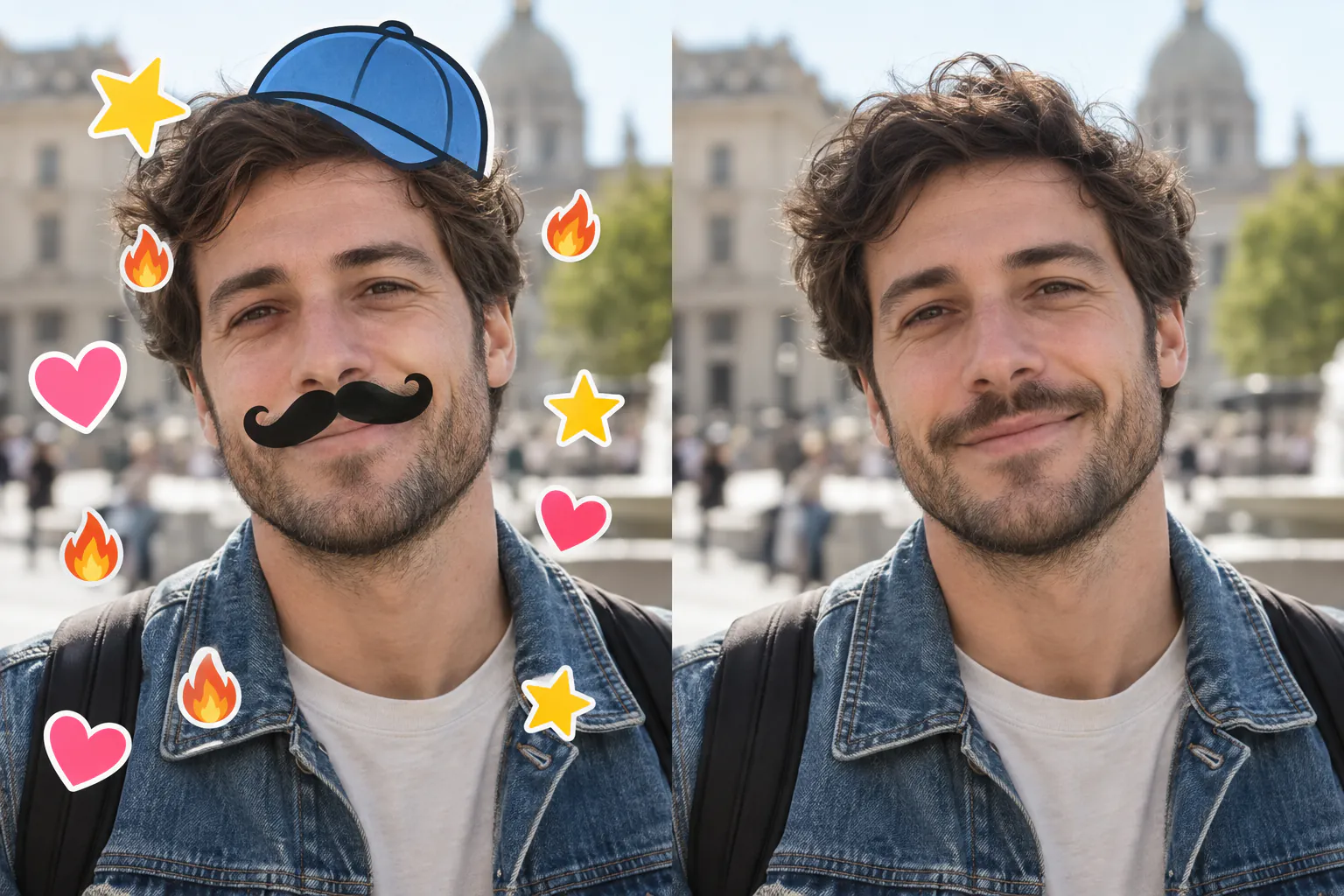
Covered content is estimated from context; it is not the hidden original.
02 Portrait case
Match the surface on both sides.
A convincing cleanup must continue hair strands, wall edges, clothing folds, and skin tone across the removed shape instead of leaving a soft patch.
03 Use it well
Three checks before downloading.
Upload the largest copy
Avoid screenshots when you still have the original saved image.
Select Overlay mode
Use the dedicated route for text, stickers, stamps, emojis, and lens graphics.
Zoom into edges
Review faces, fingers, hair, straight lines, and repeated patterns for visual artifacts.
04 Frequently asked
Sticker remover FAQ
Can AI remove stickers from a photo?+
Yes. It can identify a decorative overlay and create a context-aware fill using nearby shapes and textures.
Does it uncover the real face beneath an emoji?+
No. If an emoji hides a face, the original pixels are absent. Any face content in the result is an AI estimate and should be treated that way.
Can it remove text and captions too?+
Yes, especially when the caption sits over a consistent background. Text across detailed faces or hands is more difficult.
Clean up one saved photo.
Run Overlay mode and inspect every reconstructed region before use.
05 Related paths