Reduce smoothing
Bring back a less airbrushed texture while keeping lighting and complexion coherent.
 AI FilterRemoverTry it free
 01 Portrait restoration
Smoothing, brightening, face slimming, and eye enlargement can make a portrait feel unlike the person who took it. AI Filter Remover tones down the visible effect and rebuilds a more natural-looking balance from the uploaded photo.
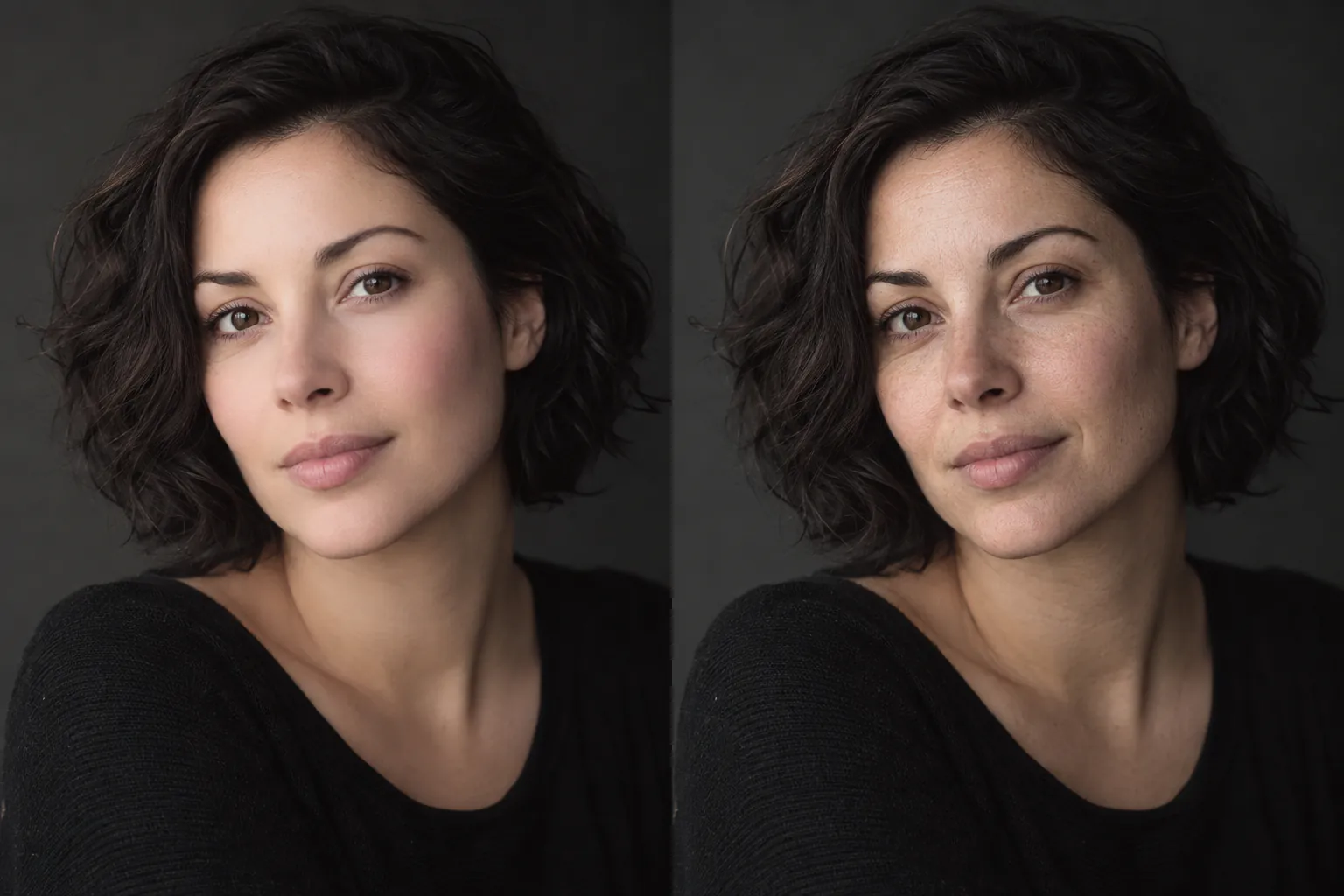
A plausible reconstruction—not a claim about what the unfiltered original looked like.
02 Portrait case
Beauty effects often combine several changes at once. The useful goal is not to punish the edit; it is to bring back texture, lighting, and proportions that are still supported by the photo.
03 What it can target
Bring back a less airbrushed texture while keeping lighting and complexion coherent.
Work on visible slimming, eye, or jaw edits without redrawing the whole portrait.
Balance whitening, pink, or orange casts that came from the filter treatment.
04 Simple workflow
Use a portrait from your camera roll. JPG, PNG, and WebP are supported.
Automatic mode detects whether smoothing, color, or structure is the strongest effect.
Slide between the upload and reconstruction, then download only if it feels right.
05 Frequently asked
It can reduce visible smoothing, color changes, and some shape edits, then generate a plausible natural-looking version from the remaining evidence.
No. Once pixels are changed or hidden, the exact original cannot be retrieved. Treat the result as a restoration estimate.
No. The same workflow can help with group portraits, pet photos, and scenes where a beauty or color effect was applied broadly.
Use the main photo lab to inspect the result before downloading.
06 Related tools