Cosmetic tone
Reduce synthetic lip, cheek, eye, and skin color while keeping believable ambient light.
 AI FilterRemoverTry it free ↗
01 Virtual cosmetics reduction
Reduce virtual lipstick, lashes, contour, eye brightening, airbrushing, and skin tint without treating the portrait like a blank face. The visible expression and proportions stay central to the reconstruction.
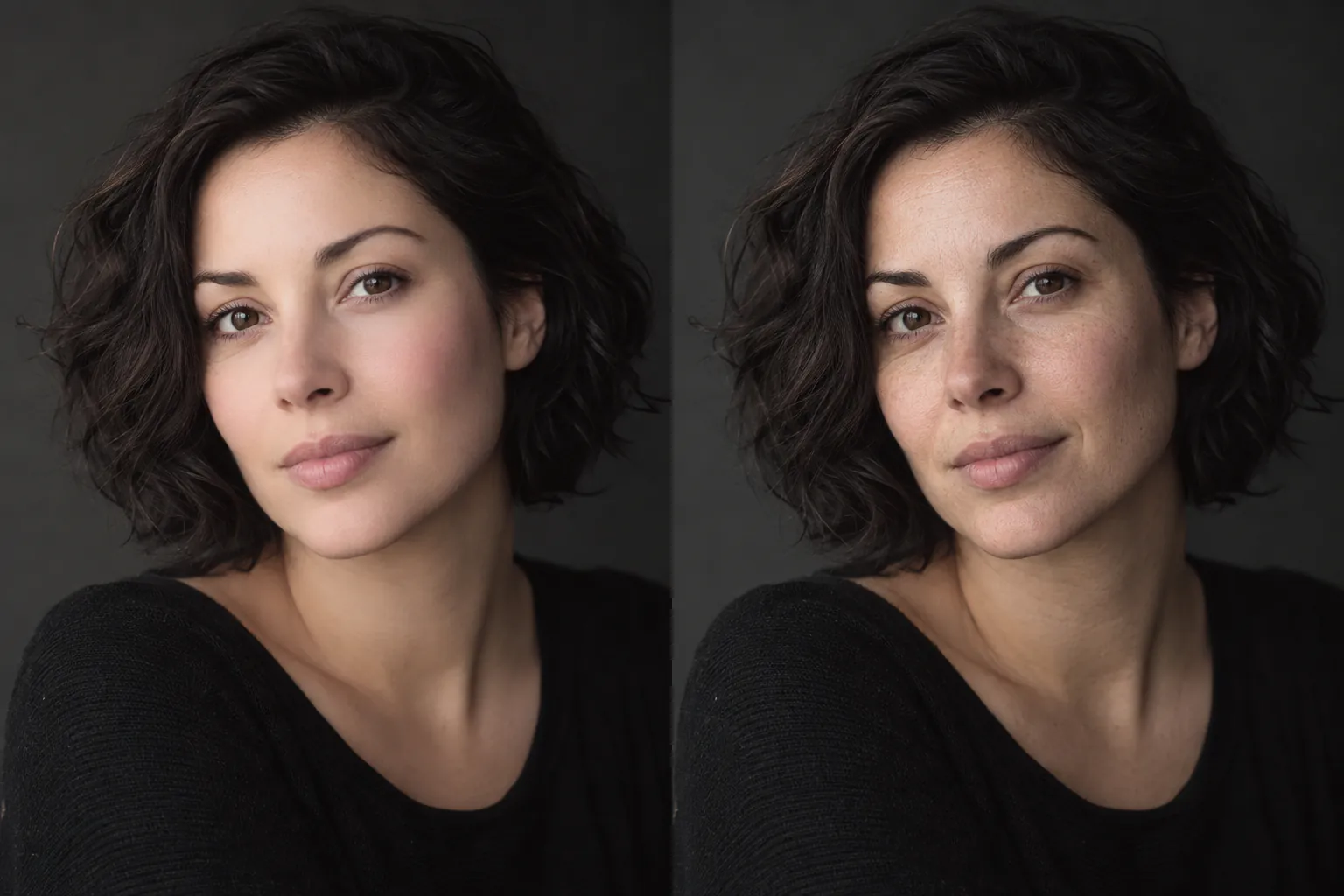
A natural-looking estimate; not a reveal of the exact unfiltered face.
02 Portrait controls
Virtual makeup often arrives with smoothing and reshaping. The restoration separates color and texture changes from the subject’s visible expression and structure.
Reduce synthetic lip, cheek, eye, and skin color while keeping believable ambient light.
Bring back restrained texture without oversharpening pores or changing the apparent age.
Anchor eyes, mouth, expression, pose, and hairstyle to what remains visible in the upload.
03 Frequently asked
It can reduce obvious cosmetic color, lashes, glow, and airbrushing, then estimate a less processed version of the portrait.
The tool cannot reliably distinguish every baked-in digital change from real cosmetics. Review the result and use a lighter mode when the edit is subtle.
No. Lost skin texture or altered facial information cannot be recovered exactly from a flattened image.
Use Beauty mode, then decide which version feels more faithful to your photo.
04 Related paths