Highlight recovery
Softens clipped-looking areas where visible texture remains, especially on skin, fabric, and walls.
 AI FilterRemover
Try it free
AI FilterRemover
Try it free
01 Instagram Flash restoration
The Instagram Flash effect can push skin highlights too far, bury the background in shadow, and add a synthetic retro grade. Upload the saved photo and let AI rebalance the visible light without replacing the scene.
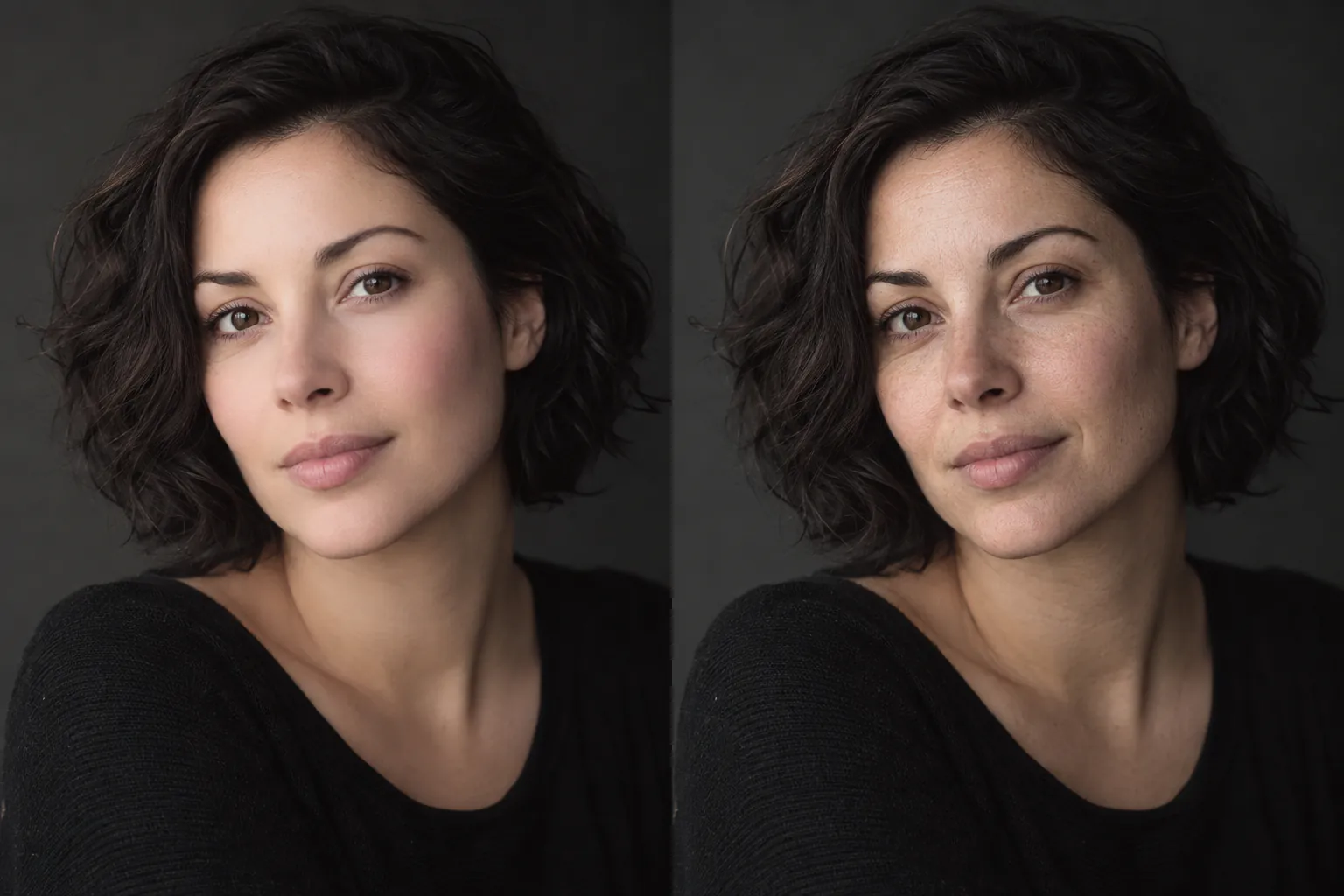
Example reconstruction. AI estimates are not recovered original pixels.
02 A visible use case
Flash is more than a color preset. It can combine hard frontal light, clipped highlights, a darkened room, grain, and face changes. This page is built for the parts that remain visible in the saved image.
03 Surface-aware processing
Choose automatic mode on the main tool. The system identifies the dominant effect, then applies a restrained restoration rather than a blanket color preset.
Softens clipped-looking areas where visible texture remains, especially on skin, fabric, and walls.
Reduces aggressive warm or cool shifts while keeping the photograph's existing mood.
Preserves the room, street, or landscape instead of treating the background as disposable.
04 Three steps
Choose the JPG, PNG, or WebP saved from Instagram Stories or your camera roll.
Leave the mode on Auto, or choose Color when the lighting effect is the main problem.
Review the reconstruction beside the upload before you download or share it.
05 Frequently asked
Yes. Upload the saved image to the main tool. It can reduce the visible flash grade and rebuild a more natural-looking balance from the information that remains.
No. A flattened photo does not contain every original pixel. The output is a plausible restoration and should be reviewed before use.
The goal is to reduce the unwanted effect, not force every image into a flat studio look. Use the result as a starting point and compare it with the upload.
Five free restorations per UTC day after Google sign-in.
06 More restoration paths